


A practical guide for structured cabling & wireless deployments
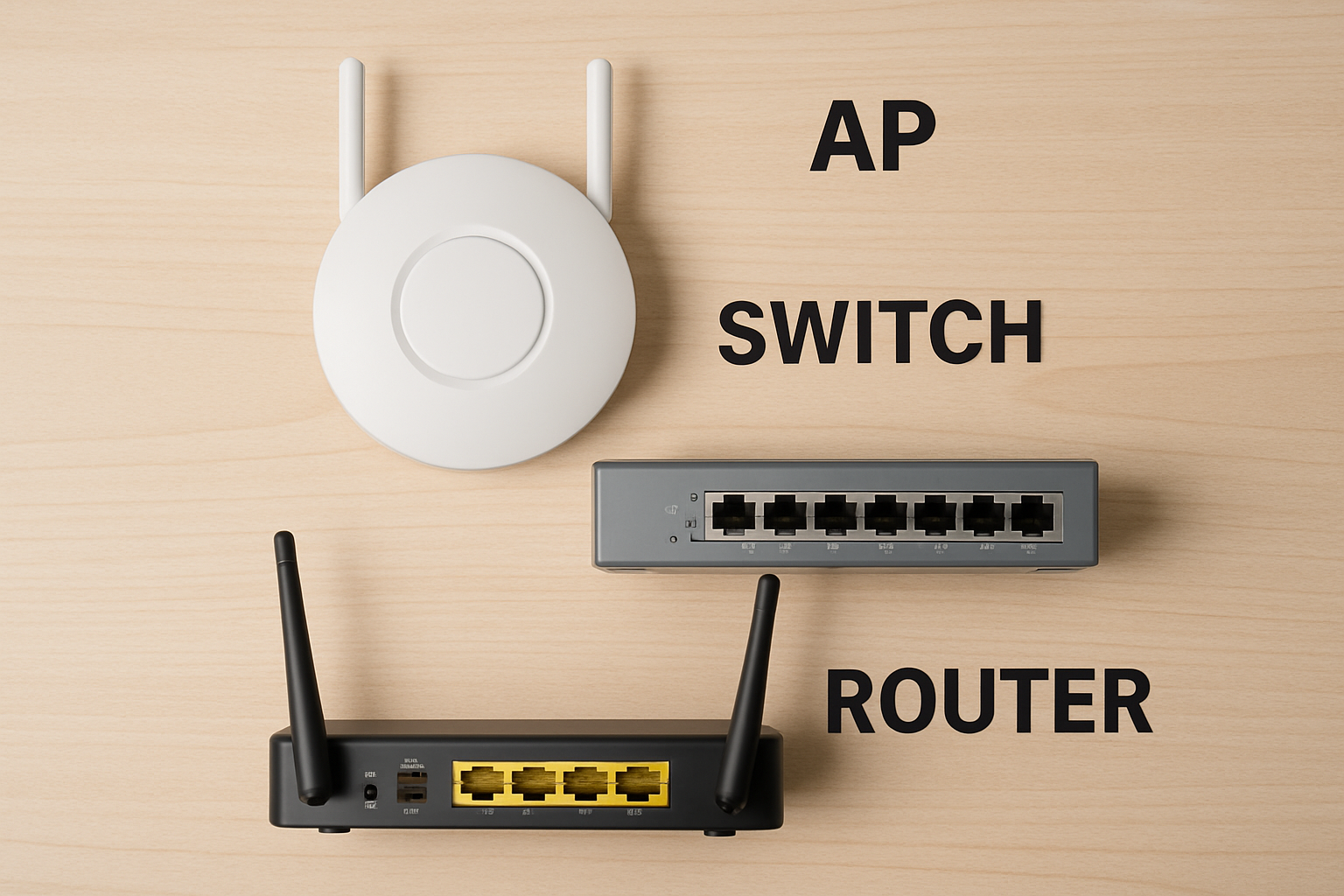
When planning a reliable network—whether for an office, warehouse, school, or hospitality environment—it helps to understand the fundamental devices that make everything work. Three core components come up in almost every job we do: access points, routers, and network switches. While they all move data from one place to another, each serves a distinct purpose.
Access Points (APs)
An access point (AP) is a device that extends your network wirelessly. It allows Wi-Fi devices—phones, laptops, tablets, scanners, security systems—to connect to the wired LAN.

What APs do
- Provide Wi-Fi coverage within an area
- Connect wireless clients to the wired network through Ethernet
- Support features like roaming, band steering, and multiple SSIDs
Where they fit in structured cabling
APs always require:
- A dedicated Ethernet run (Cat6/Cat6A recommended)
- PoE (Power over Ethernet) from a PoE switch or injector
- Strategic placement based on site surveys for optimal coverage
APs do not route traffic or manage network addressing—they simply provide wireless access.
Routers
A router connects your internal network to the outside world (typically the internet). Think of it as the traffic director between your private network and everything beyond it.
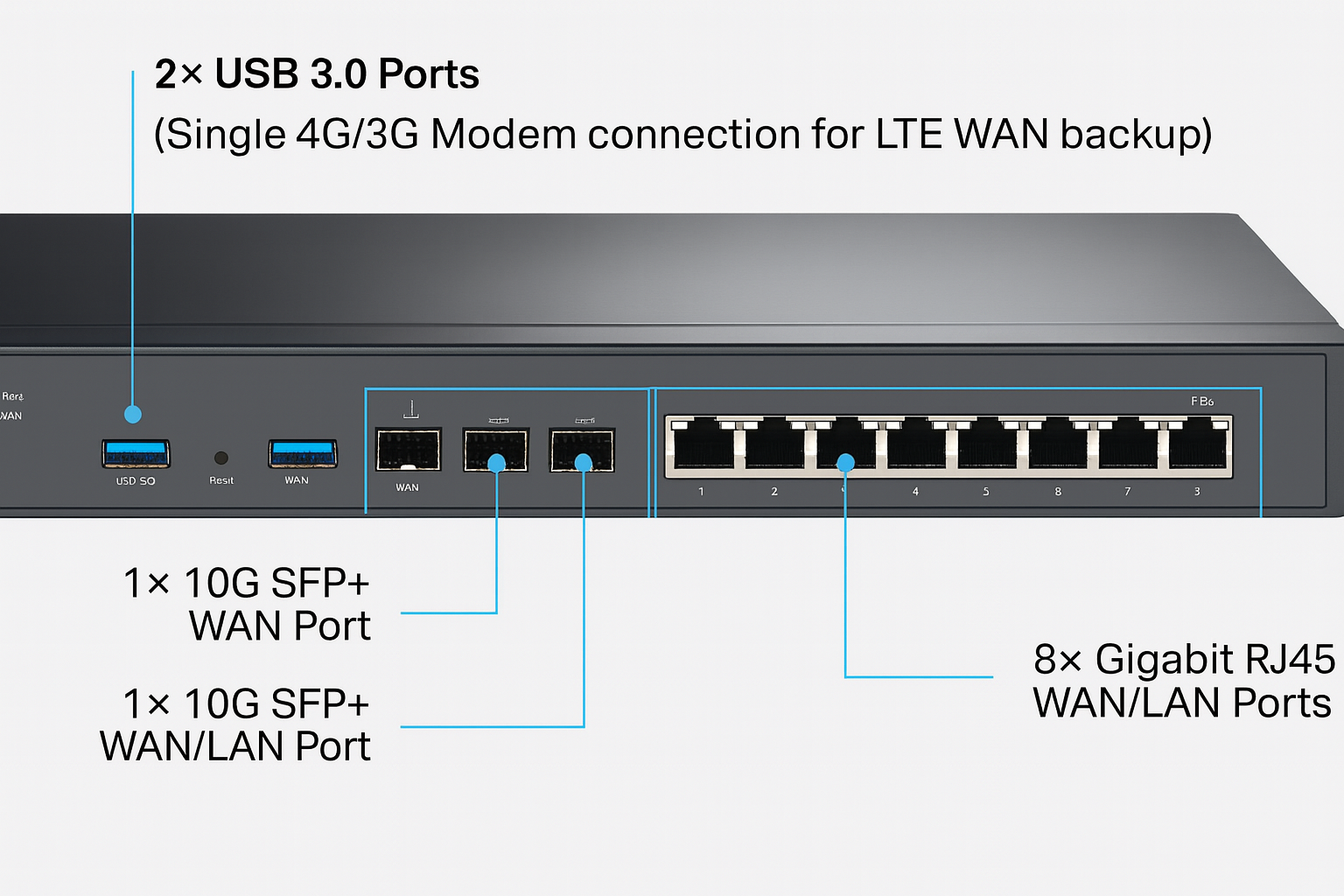
What routers do
- Manage internet connection
- Perform NAT (Network Address Translation)
- Provide a firewall layer for security
- Assign IP addresses via DHCP
- Determine the best path for data between networks
Role in structured cabling
In commercial environments, routers are usually installed in:
- A main network rack
- The telecom room or server room
- Directly behind the ISP handoff (modem or ONT)
Everything inside the building connects to the router indirectly through switches, not directly from endpoints.
Network Switches
A network switch connects multiple wired devices within the same local network. Switches generally come in a few common types: unmanaged switches, which are simple plug-and-play devices with minimal configuration; managed switches, which offer advanced features like VLAN support, QoS, port security, and monitoring; and PoE (Power over Ethernet) switches, which can deliver power over the Ethernet cable to devices such as wireless access points and other endpoints.

What switches do
- Forward data between devices on the same LAN
- Expand the number of available Ethernet ports
- Provide PoE to devices like APs, VoIP phones, and cameras
- Support VLANs and network segmentation
Switches are typically installed in the main rack, in IDF closets on larger campuses, and/or at aggregation points for AP and camera cabling
Putting it Together
Here’s a simple way to visualize it:
ISP → Router → Switch → Access Points / Devices
- The router talks to the outside world
- The switch distributes network connections inside the building
- The access point provides wireless access to the switch’s wired network
Each device plays a distinct role. A failure in one layer can affect everything downstream, which is why properly planned structured cabling—and correct equipment selection—is critical.
When we design network infrastructure for clients, understanding these roles helps determine:
- How many cables need to be run
- Whether PoE switches are required
- AP placement and coverage
- Rack layout and power management
- Router/firewall sizing based on bandwidth and users
Poor network design often comes from mixing up these roles—for example, using a consumer Wi-Fi router as a business AP, or relying on one device to do all jobs.
Conclusion
Access points, routers, and switches are the backbone of any modern network. Understanding their differences helps ensure your installation is efficient, secure, and scalable.
In most deployments, access points, routers, and switches only work as well as the planning around them. Orion US approaches install from that practical, layered perspective: start with pre-site surveys and audits, run the right structured cabling to support the design (including network refreshes and access point installs), and then complete post-install surveys/validation to confirm everything performs as expected. For wireless specifically, Orion US also offers Ekahau site surveys with centralized coordination and reporting, which helps translate coverage needs into real AP placement and a cleaner handoff at the end of the job.
Please get in touch with the experts at Orion US today.
Image Source: Canva